
Frame one card
Place the card on a plain surface in even light. Keep the complete border visible and avoid glare across the name, artwork, and bottom edge.
Available now for iPhone collectors
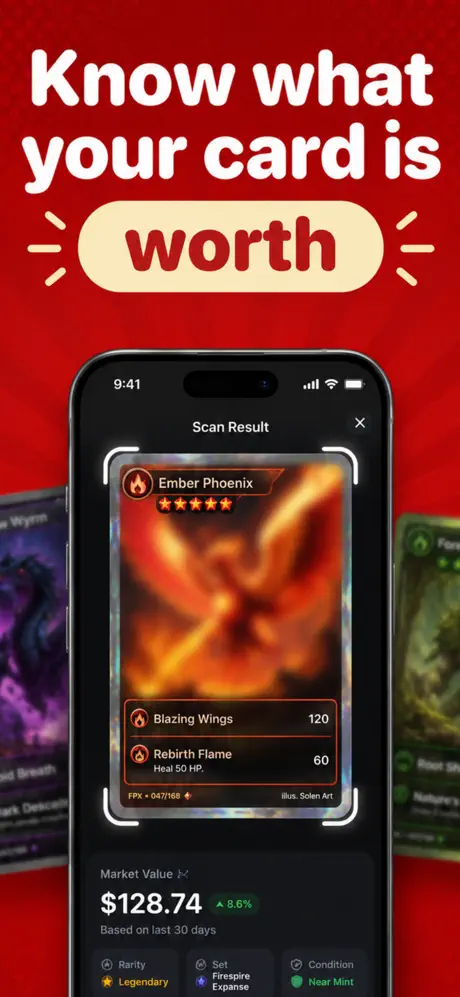
Scan a Pokémon card with your iPhone, identify the matching printing, and review card value and price information without typing a long card name into search.
How it works
A reliable value check starts with identification. The scanner makes that first step faster, while keeping the final verification in your hands.
Place the card on a plain surface in even light. Keep the complete border visible and avoid glare across the name, artwork, and bottom edge.
Compare the suggested match with the visible card name, set mark, collector number, language, and holo treatment. Similar art can appear in different releases.
Review rarity and pricing context, then account for condition and recent comparable sales. Treat any estimated range as research—not a guaranteed sale price.
App Store screenshots
Scan a card, keep matches together, and review value context using the same screens shown on the live App Store listing.
Review the suggested match and its available market context.
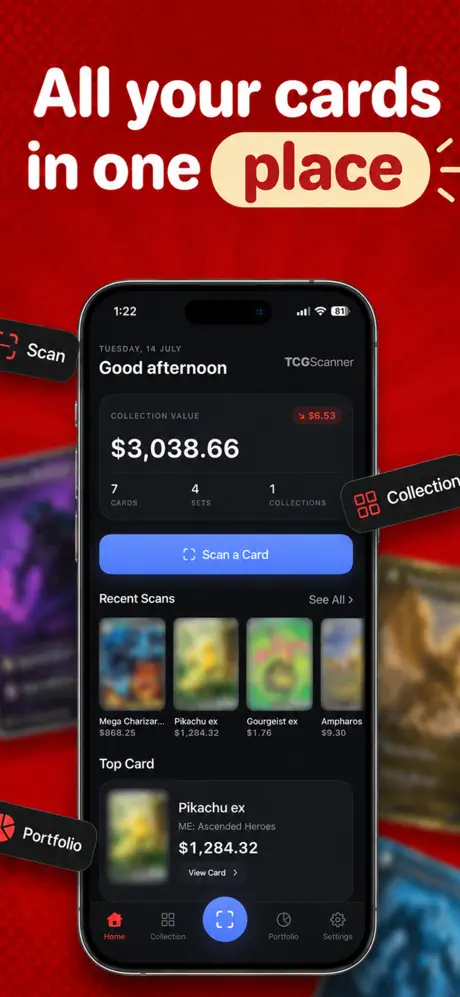
Return to recent scans and review the collection in one place.

Review the estimated value context for cards kept in the app.
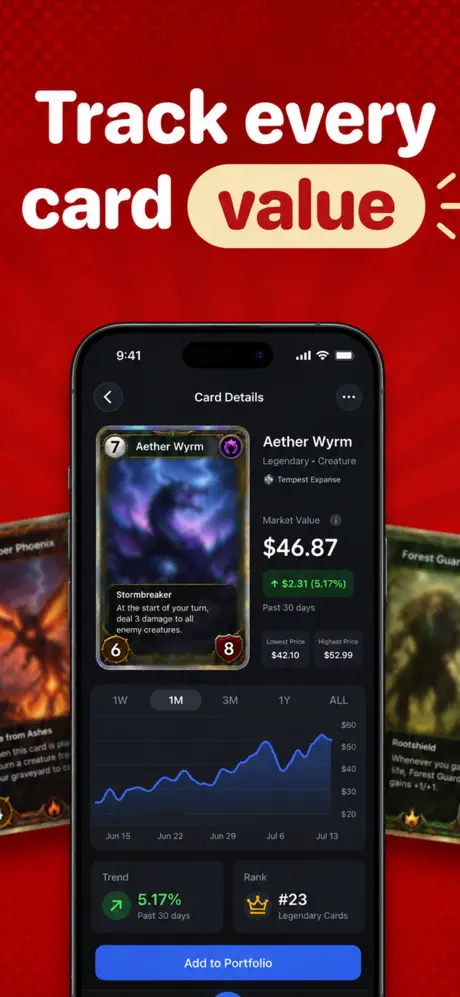
Use market movement as research context, not a guaranteed price.
Collector guides
Shortcuts are useful only when you know what they leave out. These practical guides explain identification, value, rarity, and scanner choice.
Identify the exact printing, adjust for condition, and compare sold examples without confusing asking price with value.
Read the value workflow → Identification · 7 minUse the name, card number, set mark, language, and finish to separate look-alike releases.
Learn how to identify a card → Rarity guide · 7 minRead rarity marks in context, spot era differences, and understand why rarity alone does not set price.
Check the rarity clues → App checklist · 6 minCompare match accuracy, printing detail, pricing transparency, speed, and privacy before you download.
See the scanner checklist →Frequently asked
Each answer gives you the direct version first, then points to a deeper workflow when the details matter.
Open the scanner, place one card on a plain surface in even light, keep the full card inside the frame, and hold still until a match appears. Confirm the set and collector number before relying on it. Learn more about better scans →
Identify the exact printing first, then compare recent sold examples in the same condition and language. Asking prices are not proof of value, and a scanner estimate is a starting point rather than an appraisal. Learn the complete value workflow →
A camera scanner can narrow the match using the image and visible details. Verify the name, set, collector number, language, and finish because different printings may reuse artwork. Learn how to confirm a match →
On most modern cards, it appears near the bottom edge as a pair such as 123/198. Position and format vary by era, so use the number with the set mark and name. Learn how card numbers work →
No. Rarity is one clue; value also depends on the exact printing, condition, demand, language, finish, and recent sales. Learn how to check rarity →
No camera match alone proves authenticity. A scan can identify what a card appears to be, but valuable cards may require careful in-person examination or a reputable authentication service. Learn what a scan cannot confirm →
No. This version is made for iPhone and is available now through the Apple App Store. View the iPhone app →
No. Prices move with supply, demand, condition, and market activity. Recheck current sold examples before buying, selling, insuring, or grading a card. Learn how to use sold comparables →
Available now on iPhone
Scan a card, confirm the printing, and move into value research with less typing and fewer wrong-version mistakes.
Download free on the App StoreVersion 1.0 · Free download with optional in-app subscriptions · Requires iOS 26.1 or later.
