Lost Headphone: BT Finder icon

Tools & Utilities

Lost Headphone: BT Finder

Find your lost Bluetooth headphones fast.

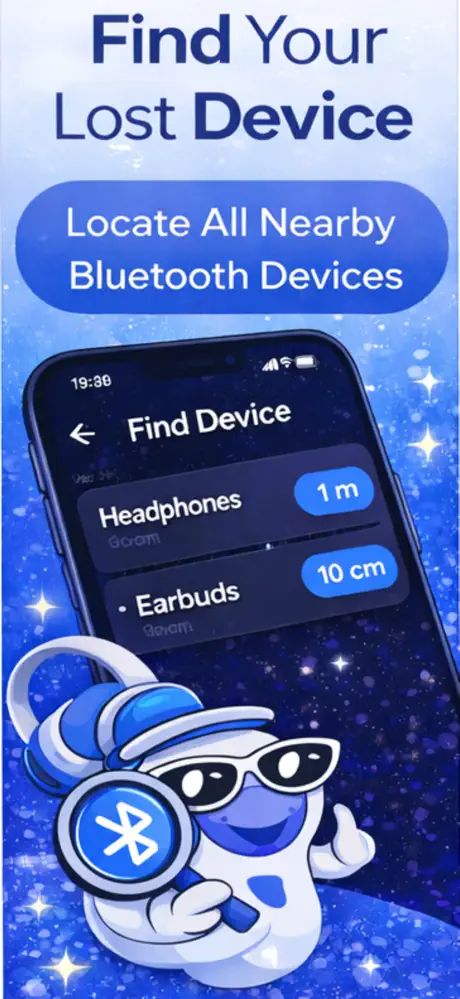
Lost your Bluetooth headphones? This app helps you find them fast using advanced Bluetooth signal scanning. See signal strength in real time and follow it to locate your missing earbuds, headphones, or any paired Bluetooth device.

iOS Free 5.0 (4)
Download Free on App Store

Preview

See it in action.

Lost Headphone: BT Finder screenshot 1
Lost Headphone: BT Finder screenshot 2
Lost Headphone: BT Finder screenshot 3
Lost Headphone: BT Finder screenshot 4

What it does

Everything you need,
nothing you don't.

01

Bluetooth Signal Scanner

Scans for nearby Bluetooth devices and shows signal strength to help you locate lost headphones.

02

Real-Time Signal Radar

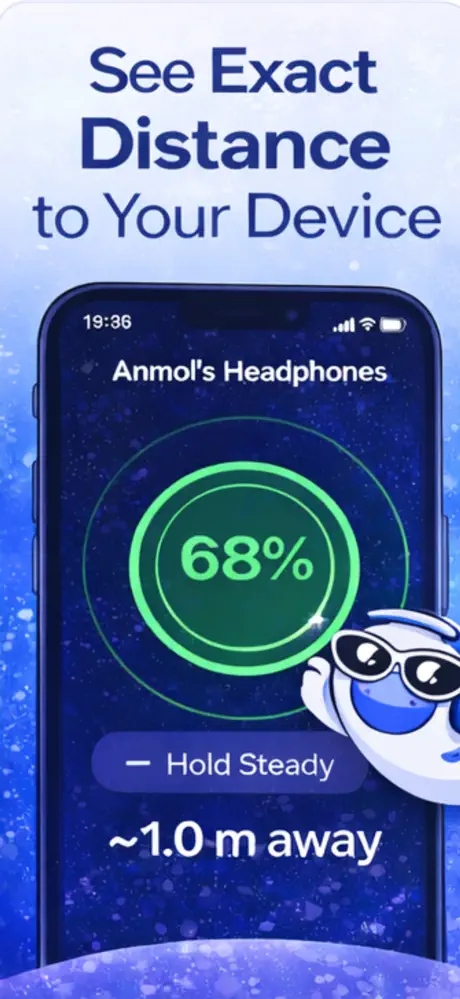
Watch signal strength change in real time as you move closer to your lost device.

03

Works With Any BT Device

Find AirPods, earbuds, speakers, or any Bluetooth-paired device.

04

Simple Interface

Open, scan, and follow the signal. No complicated setup required.

In depth

Everything about
Lost Headphone: BT Finder.

Best Bluetooth Key Locators and Tracking Devices

Misplacing your keys ranks among the most common daily frustrations, and a bluetooth key locator can save you significant time and stress. These small bluetooth trackers for keys attach to your keyring and connect to your phone, letting you trigger an audible alert or check a map to see where you last had them. Most bluetooth tracking devices for keys work within a range of 30 to 200 feet, depending on the model and environment — walls, furniture, and other obstacles can reduce that range considerably. When shopping for a bluetooth tracker for keys, pay attention to battery life, replaceable versus rechargeable batteries, and whether the device uses a crowd-finding network to help locate items beyond Bluetooth range. Pairing one of these trackers with an app like Lost Headphone: BT Finder gives you a real-time signal strength reading, so you can physically walk toward your keys and watch the signal get stronger as you close in.

How Bluetooth Key Finders Work

A bluetooth key finder communicates with your smartphone using Bluetooth Low Energy (BLE), a protocol designed to maintain a persistent connection while using minimal battery. When you open a tracker key finder app, your phone scans for the BLE signal broadcast by the key tracker device and estimates proximity based on signal strength, measured in decibels (dBm). The closer you get, the stronger the signal reads. Most bluetooth tracker key finder setups also let you ring the attached tag, which is helpful when your keys are buried in a coat pocket or wedged between couch cushions. Key finder tags typically last anywhere from six months to a year on a single coin-cell battery, and many models will send you a notification when the battery runs low so you're never caught off guard.

Bluetooth Tracker: Find Any Lost Item

A bluetooth tracker isn't limited to keys — you can attach one to luggage, clip it inside a laptop bag, or slide it into a child's backpack for peace of mind during school trips. The underlying technology scans for BLE-enabled tags and reports the signal strength back to your phone, giving you a directional sense of where the item is. A bluetooth item tracker works best in open environments, but even indoors you can narrow down a location by moving room to room and watching the signal level change. Some trackers also log the last known GPS coordinates via your phone, so if you left your bag at a restaurant across town you'll at least know where to start looking. For Bluetooth headphones and earbuds specifically, Lost Headphone: BT Finder uses this same signal-scanning approach without requiring any additional hardware.

Never Lose Your Wallet Again with GPS and Bluetooth Trackers

Wallets are easy to leave behind at checkout counters, on restaurant tables, or in rideshare seats, making a gps wallet tracker one of the more practical tech investments you can make. Card-shaped trackers are designed to slip into a standard wallet slot, and most combine Bluetooth proximity alerts with a gps tracking device for wallet recovery at longer distances. A bluetooth wallet tracker will alert your phone when you walk away without it, giving you a few seconds to turn around before it's too late. For true location tracking beyond Bluetooth range, look for a wallet with bluetooth tracker support that ties into a larger crowd-sourced network — this way, other users' devices anonymously relay your wallet's position back to you. The accuracy won't match dedicated GPS hardware, but it's often enough to pinpoint the right building or block.

Bluetooth Device Finder and Locator Tools

Beyond physical tags and tiles, a bluetooth device finder app can scan for any active Bluetooth signal in your surroundings — including headphones, speakers, smartwatches, and fitness bands. This type of bluetooth locator device relies on your phone's built-in Bluetooth antenna to detect nearby peripherals and display their relative signal strength. Lost Headphone: BT Finder works on this principle, showing you a real-time radar-style view so you can sweep a room and zero in on the strongest signal. These tools are especially useful for finding wireless earbuds that have fallen out of their case, since a single earbud is nearly impossible to spot visually in a cluttered space. No extra hardware is needed — if the lost device has Bluetooth turned on or is still powered up, the app can detect it.

Common questions

Questions answered.

Everything you need to know about Lost Headphone: BT Finder.

How to find airpod case?

Open Lost Headphone: BT Finder and scan for nearby Bluetooth signals. If your AirPod case has AirPods inside and the lid is open, the app can detect the Bluetooth signal and guide you toward it using real-time signal strength. Note that a closed AirPod case with no pods inside does not emit a Bluetooth signal, so the app cannot locate it in that state.

How to find a lost airpod?

Launch the app and start a Bluetooth scan to detect your lost AirPod's signal. Walk slowly around the area where you last had it and watch the signal strength indicator — the stronger the signal, the closer you are. This works best when the AirPod still has battery charge and is out of its case.

How to find one lost airpod?

Put your other AirPod back in the case so it doesn't interfere with the scan, then open the app and search for the missing one. The app detects individual AirPods as separate Bluetooth devices, so you can isolate the signal from the one that's lost. Move around the room slowly and follow the increasing signal strength to narrow down the location.

How to find your airpod case?

If your AirPods are inside the case with the lid open, the app can pick up their Bluetooth signal and help you locate the case. If the case is closed with AirPods inside, try using Apple's Find My network instead since the case stops broadcasting standard Bluetooth when shut. A completely empty AirPod case does not emit a detectable Bluetooth signal.

How to track airpod case?

The app tracks Bluetooth signals in real time, so it can help locate an AirPod case that is actively broadcasting — meaning the lid is open with AirPods inside. For continuous tracking of a closed case, Apple's Find My is more reliable since AirPods Pro 2 and later cases have built-in UWB and speaker features. Use both tools together for the best chance of recovery.

How to find your airpod case without pods?

An empty AirPod case does not emit a Bluetooth signal, so no Bluetooth scanning app can detect it. Your best option is to retrace your steps and check common spots like couch cushions, jacket pockets, and bags. For future protection, consider attaching a small Bluetooth tracker to the case or upgrading to AirPods Pro 2 whose case supports Find My with a built-in speaker.

How to find lost airpod case?

If the case has AirPods inside and the lid is open, the app can detect the Bluetooth signal and guide you to it. If the case is closed or empty, Bluetooth scanning won't work because the case stops broadcasting. In that situation, check the last location shown in Apple's Find My app and search that area manually.

How to find a lost airpod case?

Start by checking Apple's Find My to see the last known location of your AirPods and case. If the case is nearby with AirPods inside, open Lost Headphone: BT Finder and scan for the signal — walk toward the strongest reading. An empty or closed case won't broadcast Bluetooth, so you'll need to search manually in that scenario.

Is Lost Headphone: BT Finder free?

The app is free to download and includes basic Bluetooth scanning functionality. Some advanced features may require a one-time purchase or subscription, but the core device-finding radar works without paying. Check the App Store listing for current pricing details on any premium features.

Does Lost Headphone: BT Finder work offline?

Yes, the app works without an internet connection because it scans for Bluetooth signals directly from your iPhone's hardware. You don't need Wi-Fi or cellular data to detect nearby devices. However, an internet connection may be needed for occasional app updates or accessing certain optional features.

What iOS version does Lost Headphone: BT Finder require?

The app requires iOS 15.0 or later and works on any iPhone that supports that version, from iPhone 7 and newer. It is optimized for the latest iOS releases to take advantage of improved Bluetooth capabilities. Check the App Store listing for the most current compatibility requirements.

How accurate is Lost Headphone: BT Finder?

The app can typically help you narrow down a device's location to within a few feet in an open environment. Bluetooth signal strength is affected by walls, furniture, and interference from other devices, so accuracy varies by setting. For best results, move slowly and watch for consistent signal peaks rather than momentary spikes.

Does Lost Headphone: BT Finder store my data or track my location?

The app scans for Bluetooth devices locally on your iPhone and does not upload your location or device data to external servers. All scanning happens on-device in real time. No account creation is required, and the app does not store a history of your Bluetooth scans or movements.

Ready to try Lost Headphone: BT Finder?

Free to download. No subscriptions required.

Download on App Store